
Smart PIM
Edit on GitHubSmart PIM is an AI assistant embedded in the Back Office product creation and editing pages. It helps catalog managers enrich product data through AI-powered capabilities — all without leaving the product form.
Example use case
A catalog manager is adding a new product and needs to write a compelling description, fill in image alt text, and assign the right categories. Instead of doing each task manually, the manager opens the Smart PIM panel and uses the built-in AI tools to generate and refine the content in seconds.
Capabilities
| CAPABILITY | DESCRIPTION |
|---|---|
| Content improvement | Rewrites or enriches product descriptions, names, and attributes using AI. |
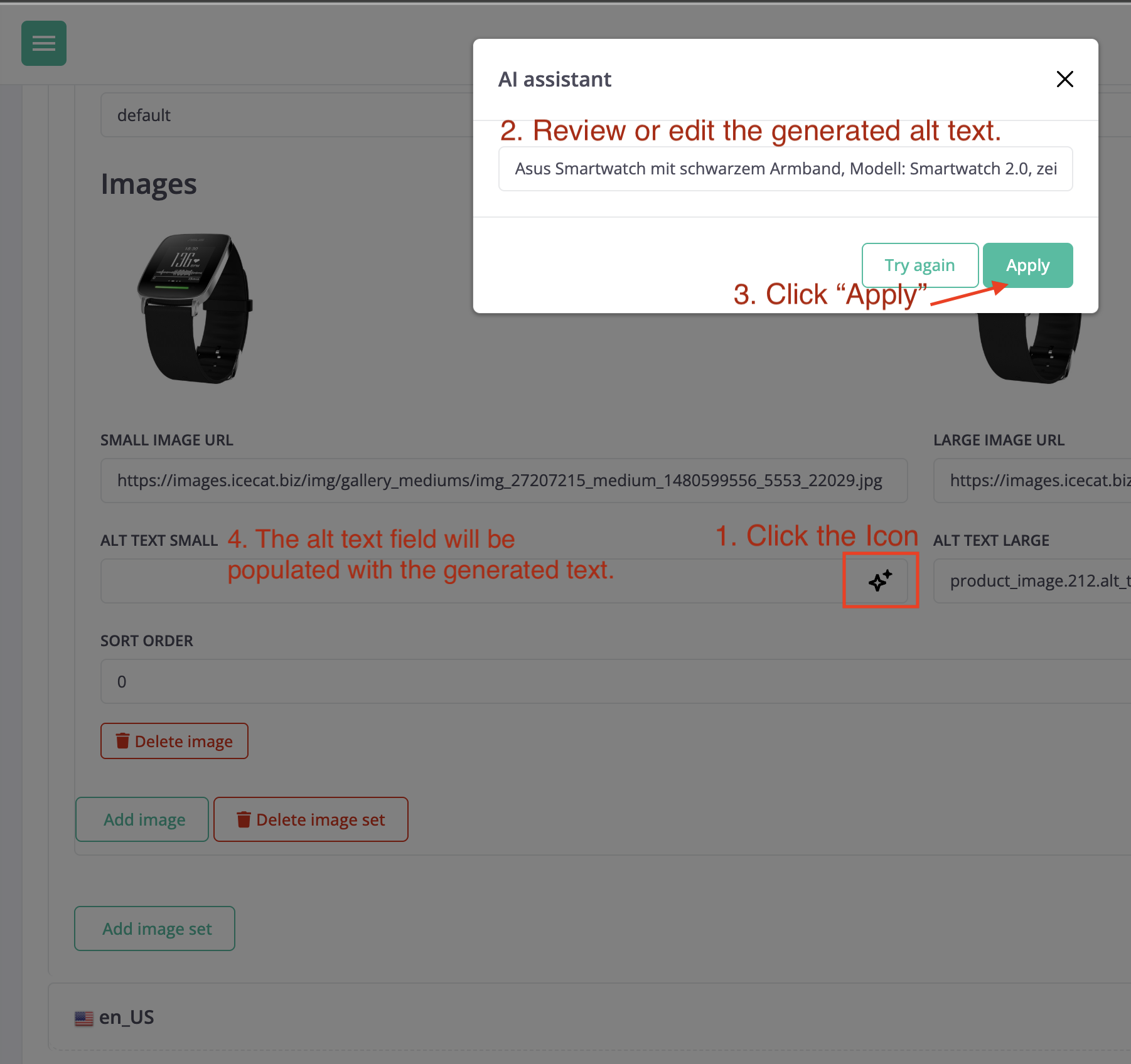
| Image alt text | Generates descriptive alt text for product images automatically. |
| Category suggestion | Suggests the most relevant categories for a product based on its content. |
| Translation | Translates product content into other configured languages. |
Use Smart PIM
- In the Back Office, go to Products > Products and open a product create or edit page.
- Click the sparkle icon to open the Smart PIM panel.
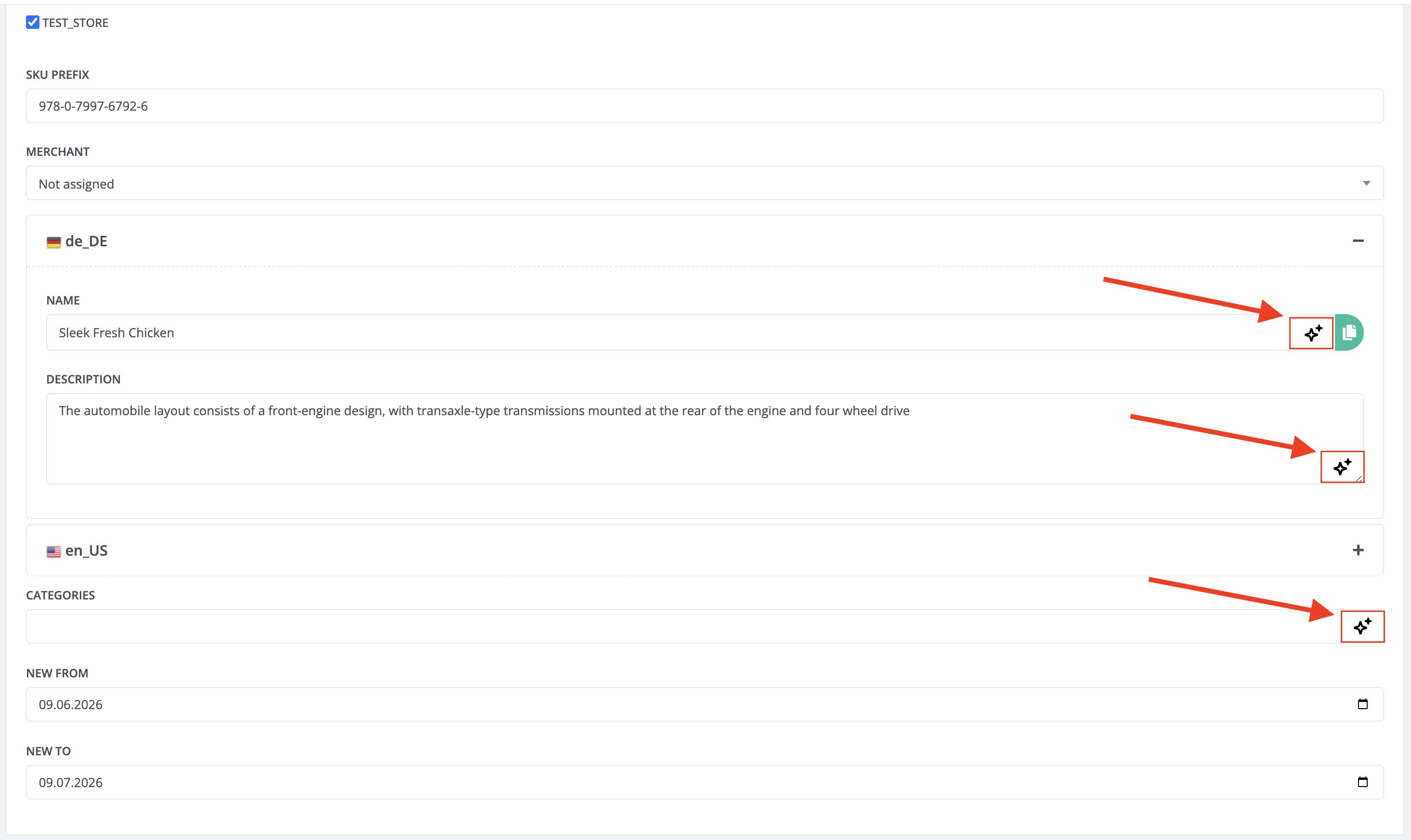
- Select a capability:
- Content improvement or Translation: Select the option, review the result, and click Apply.
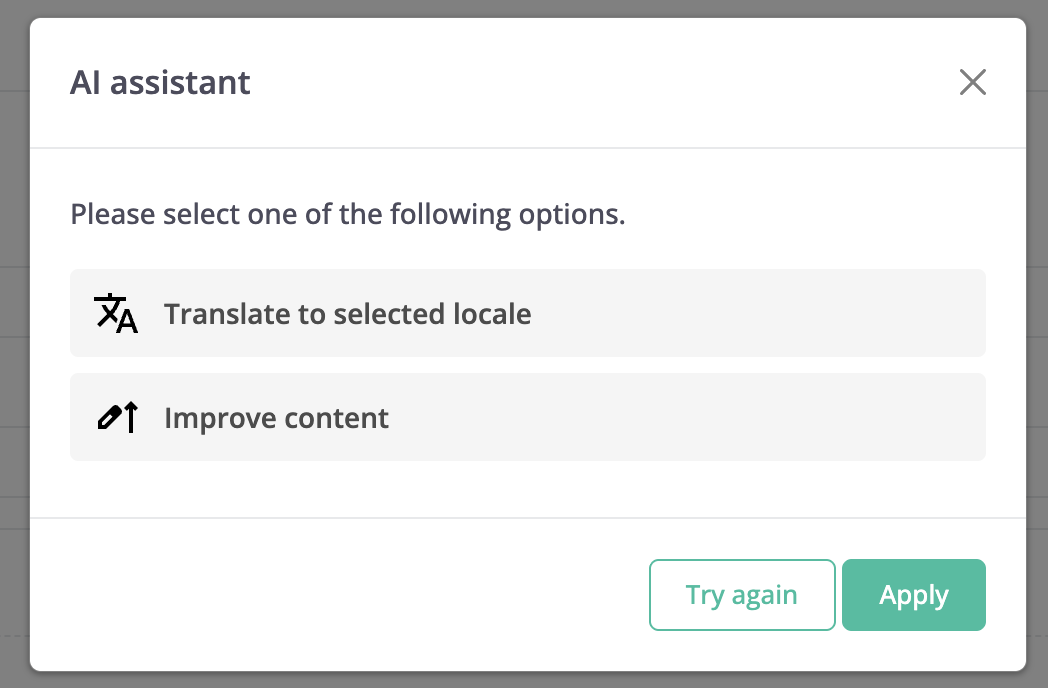
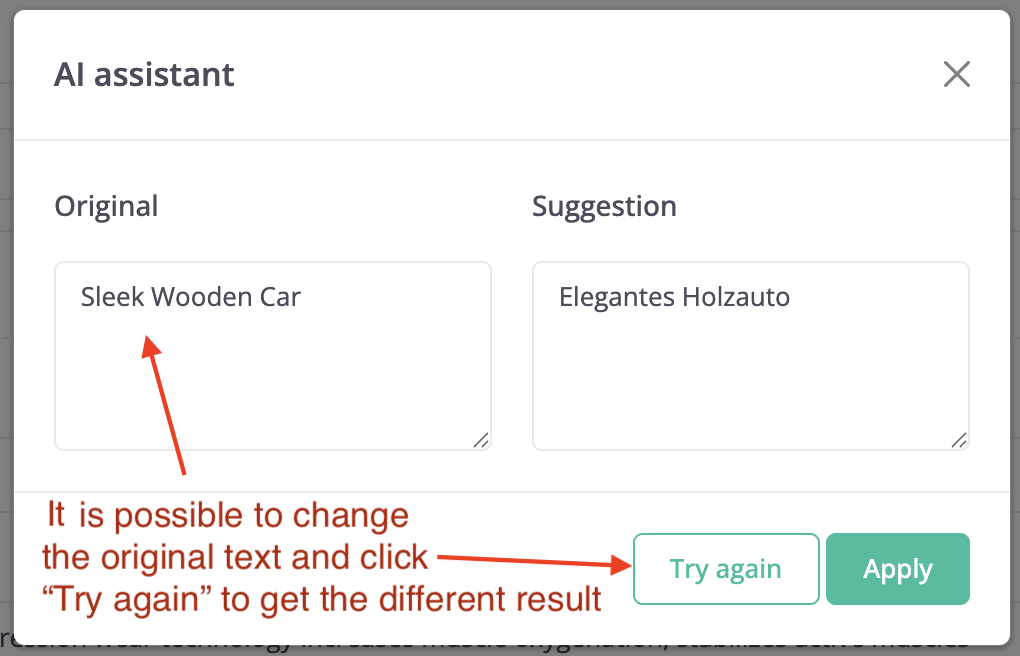
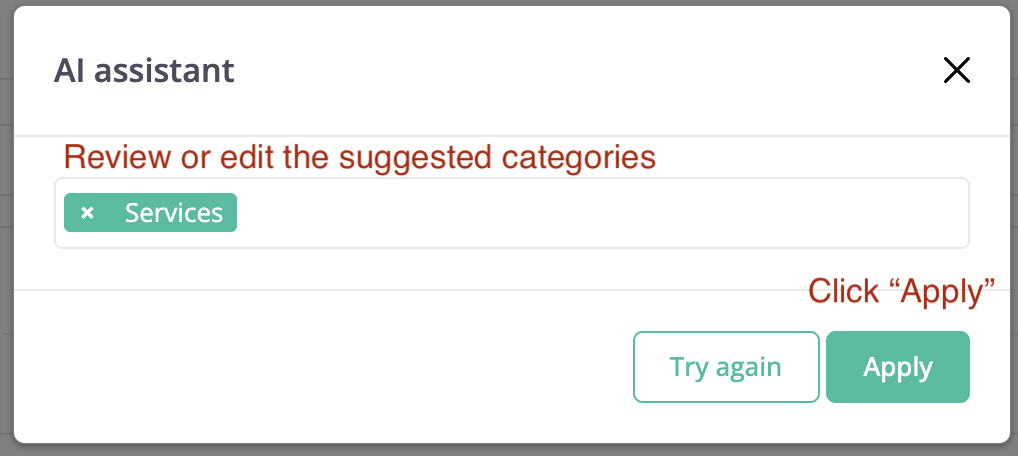
- Category suggestion: Review the AI-generated category suggestions and assign them to the product.
- Image alt text: Review the AI-generated alt text and apply it to your product images.
- Content improvement or Translation: Select the option, review the result, and click Apply.
- Save the product.
Developer resources
| RESOURCE | DESCRIPTION |
|---|---|
| Smart PIM | Technical overview: architecture, plugin structure, configuration options, and AiFoundation integration. |
| Install Smart PIM | Step-by-step installation guide. |
Thank you!
For submitting the form